 PNBschool
Anesthesia simulation
Central Line Simulation
INCLUDED IN EVERYTHING + CMERehearse an ultrasound-guided right internal jugular central line from positioning to tip confirmation, in 28 steps.
What you rehearse
- Position the patient
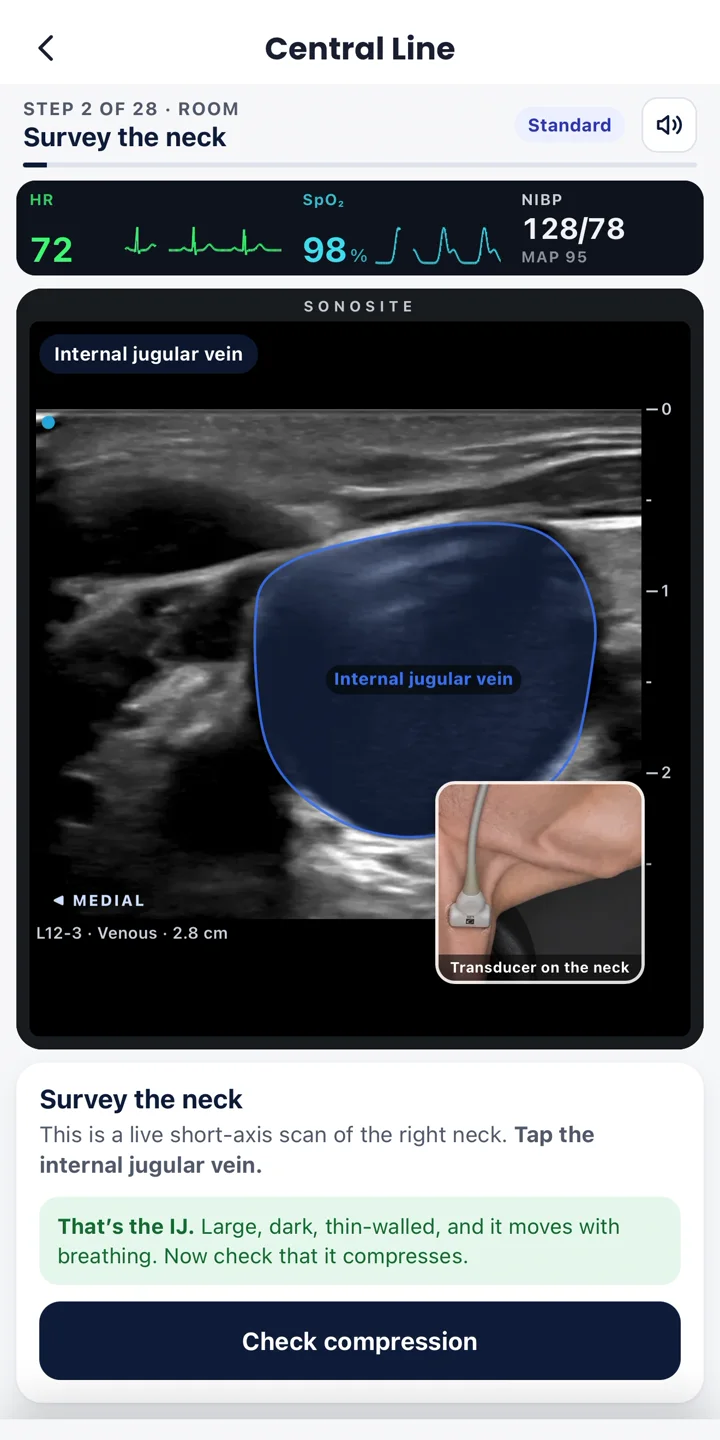
- Survey the neck on ultrasound and check that the vein compresses
- Hand hygiene, gown and gloves
- Chlorhexidine prep, then let the prep dry
- Flush and cap the lumens
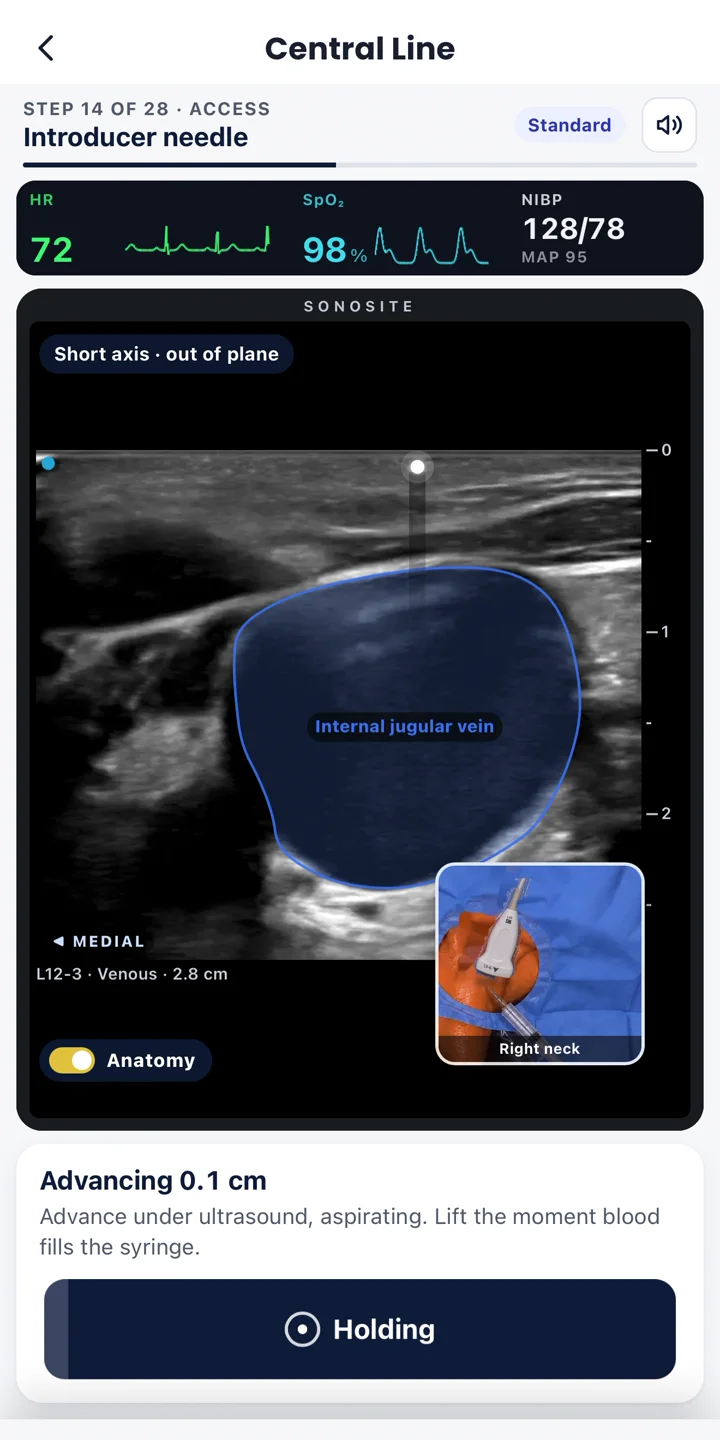
- Introducer needle into the internal jugular vein under ultrasound
- Advance the guidewire
- Confirm the wire on ultrasound
- Advance the dilator
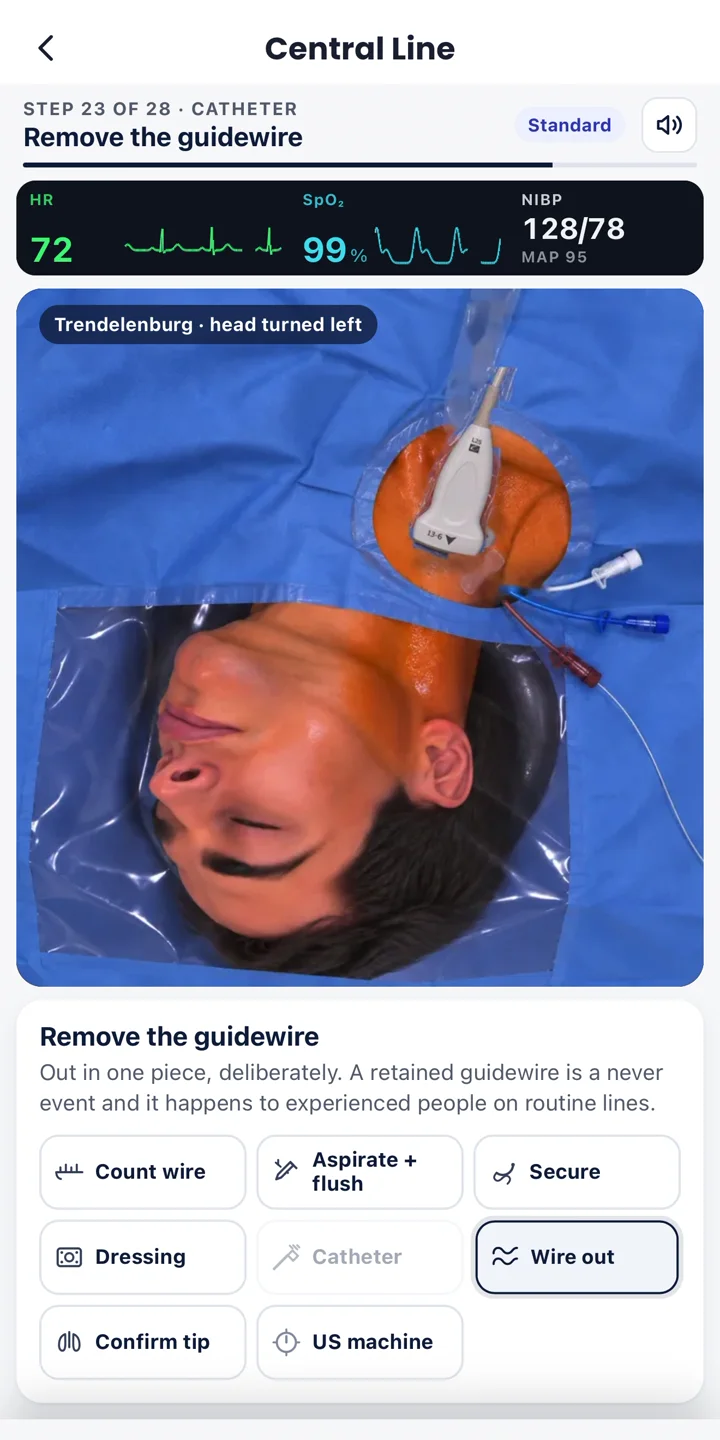
- Advance the catheter and remove the guidewire
- Aspirate and flush each lumen
- Confirm tip position
How the simulation works
- A live monitor strip shows heart rate, SpO2 and blood pressure throughout the case.
- You scan on a simulated ultrasound screen, with an anatomy overlay you can switch on and off.
- You pick each piece of equipment from the kit in the right order.
- Press-and-hold controls are used for actions such as scrubbing the prep, advancing the needle and threading the wire.
- The run ends with a results screen: your numbers, the scan to review and points to keep in mind.
Run this simulation in the PNBschool Mobile app
This simulation is included in the Everything + CME tier. The spinal anesthesia simulation is free for everyone, so you can start there.