 PNBschool
Anesthesia simulation
Femoral Triangle Block Simulation
INCLUDED IN EVERYTHING + CMERehearse an ultrasound-guided femoral triangle block for knee surgery, with three injection targets, in 12 steps.
What you rehearse
- Hand hygiene, monitors and time-out
- Position the leg
- Prepare the local anesthetic
- Choose your transducer
- Prep and drape
- Optimize the image
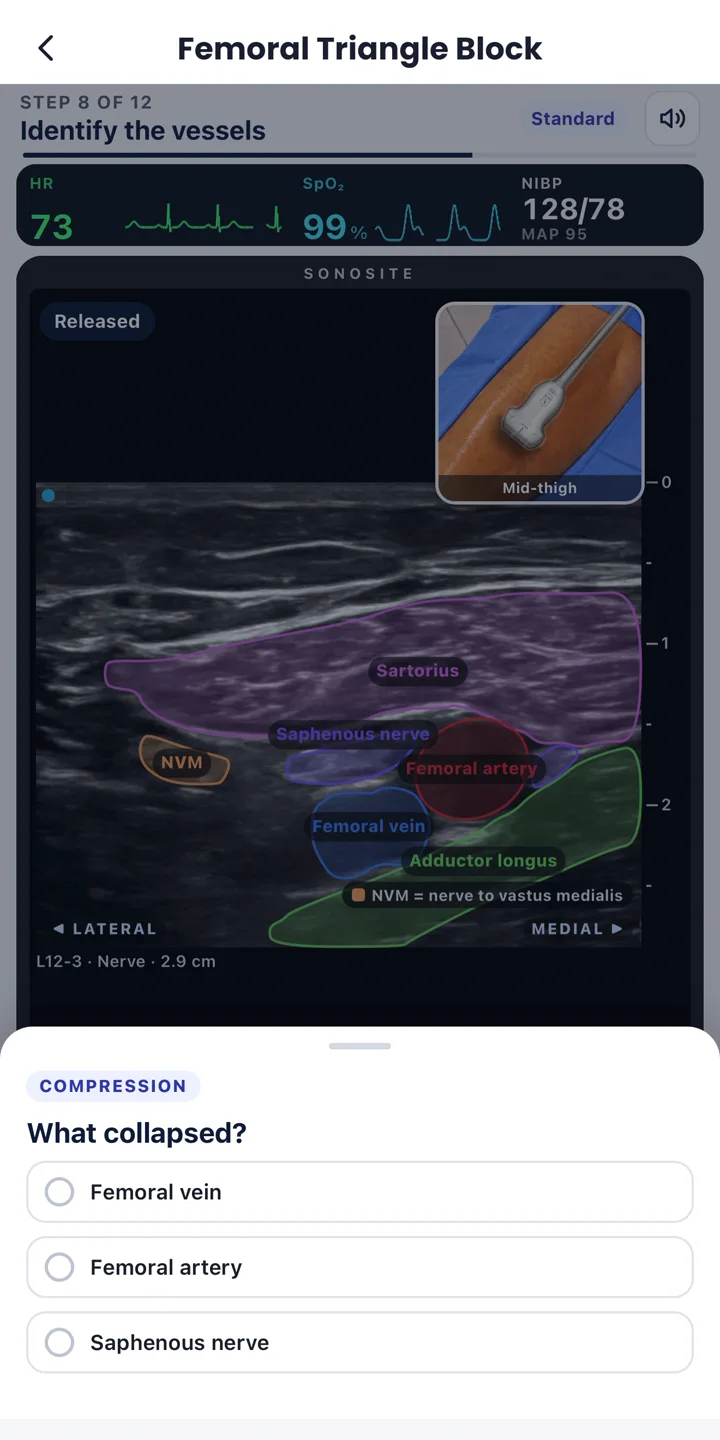
- Identify the vessels by compressing with the transducer
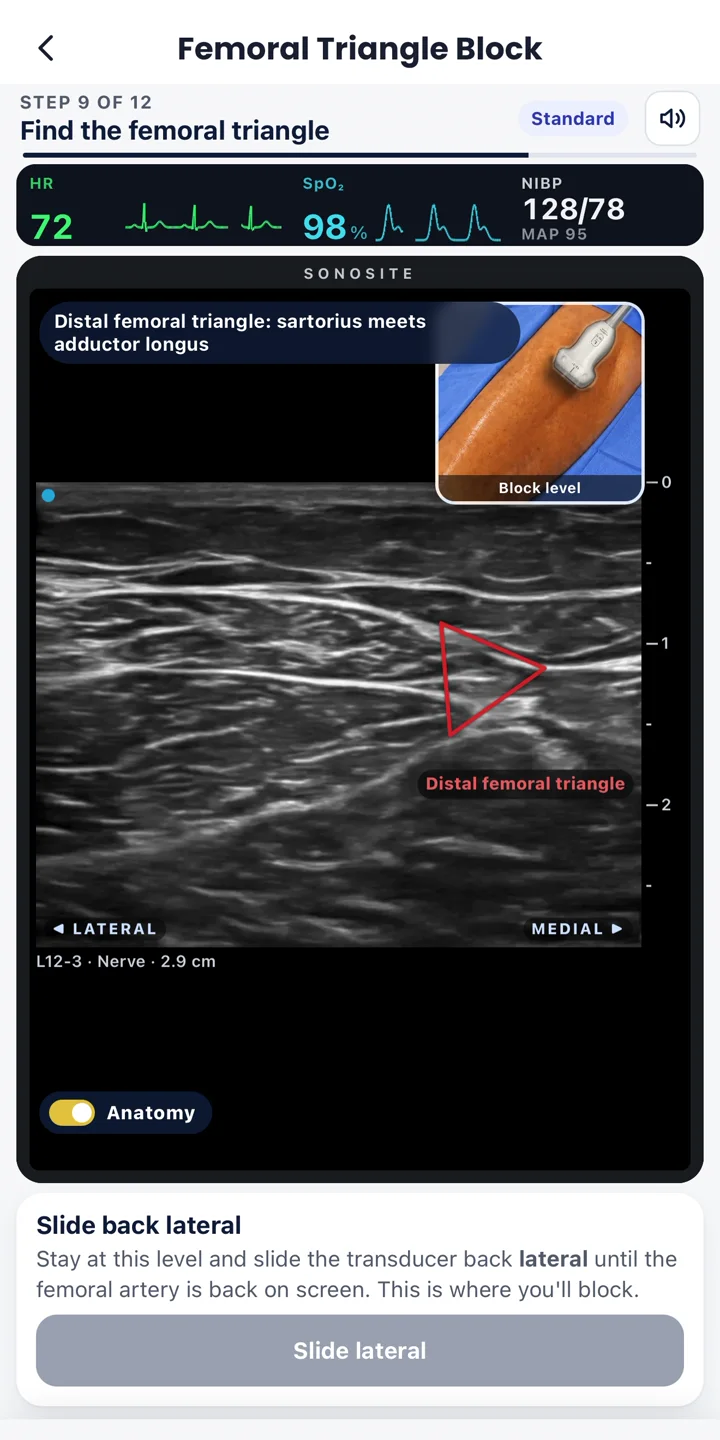
- Find the femoral triangle, where sartorius meets adductor longus
- Advance the needle in plane
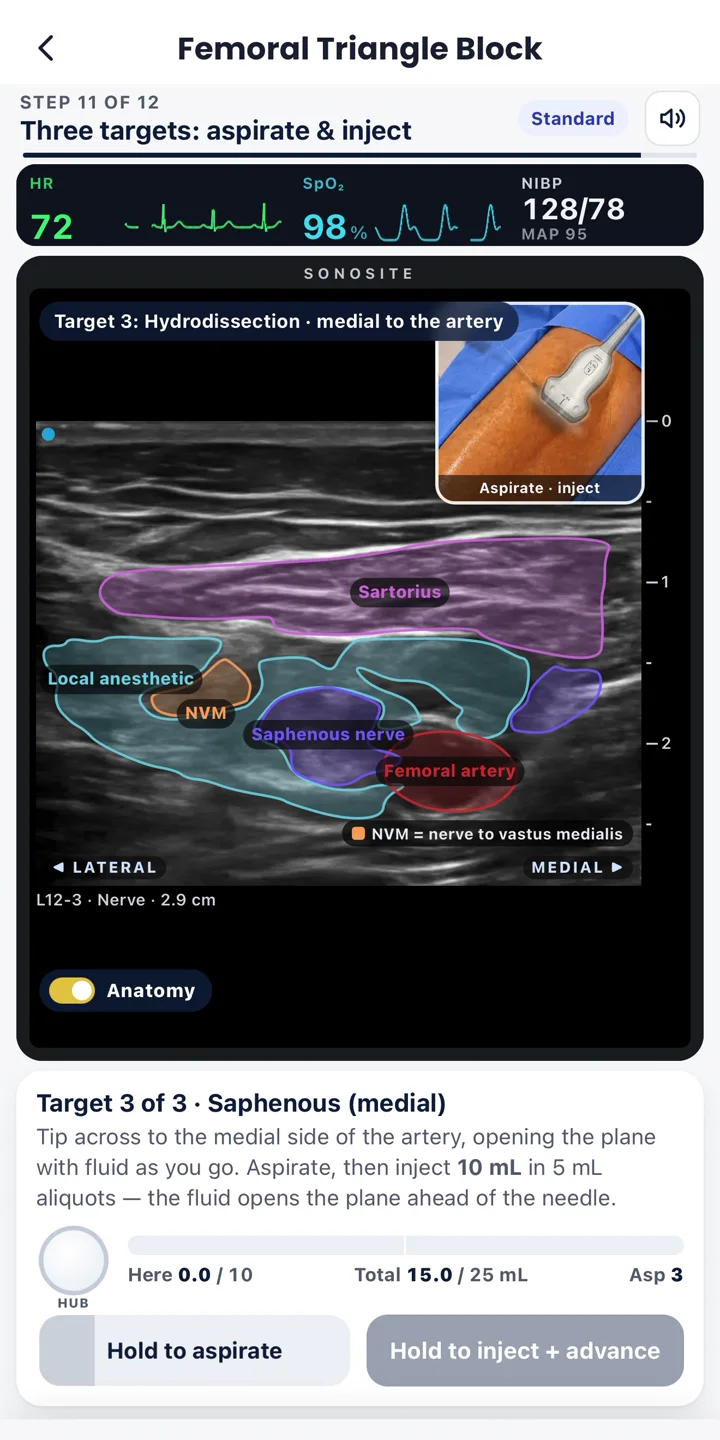
- Three targets: the nerve to vastus medialis, the saphenous nerve lateral to the artery, then hydrodissection medial to the artery
How the simulation works
- A live monitor strip shows heart rate, SpO2 and blood pressure throughout the case.
- You scan on a simulated ultrasound screen, with an anatomy overlay you can switch on and off.
- Press-and-hold controls are used for actions such as scrubbing the prep, advancing the needle and injecting.
- Decision questions appear along the way, with an explanation after each answer.
- The run ends with a results screen: your numbers, a clip of the real block and teaching points.
- Standard mode walks you through a clean run. Challenge mode tests you without the prompts.
Run this simulation in the PNBschool Mobile app
This simulation is included in the Everything + CME tier. The spinal anesthesia simulation is free for everyone, so you can start there.